GEM e2 Pedestrian Distance Control
·
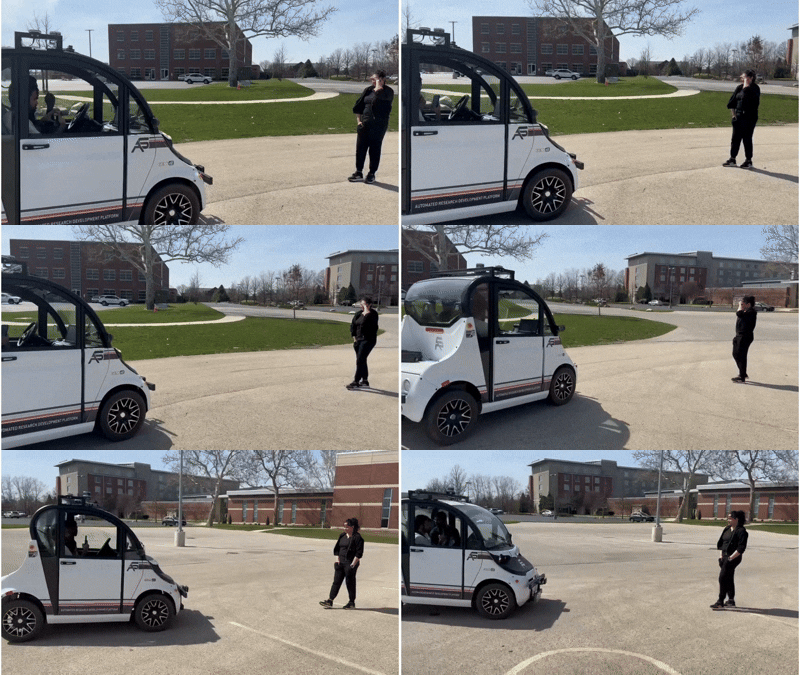
Overview
This project implements a vision-based pedestrian following system on the Polaris GEM e2 autonomous vehicle. The vehicle tracks a selected pedestrian in real time using a ZED2 stereo camera and dlib’s correlation tracker, then uses two independent PID controllers — one for steering and one for speed — to maintain a safe following distance without relying on any depth sensor. The key insight is simple: the height of the pedestrian’s bounding box in the image is a reliable proxy for distance. When the pedestrian is close, the box is tall; when they are far, the box is short.
Hardware & Software Stack
- Platform: Polaris GEM e2 autonomous vehicle
- Sensor: ZED2 stereo camera (
/zed2/zed_node/rgb/image_rect_color) - Tracker: dlib correlation tracker
- Control interface: PACMod (via ROS topics)
- Framework: ROS (Python)
System Architecture
The system has two main components: a visual tracker and a follow logic controller.
1. Visual Tracker (pedestrian_tracker)
On startup, the node subscribes to the ZED2 RGB image stream. The operator selects the target pedestrian by pressing s to draw a bounding box using OpenCV’s selectROI. This seeds dlib’s correlation tracker, which then propagates the bounding box forward in every subsequent frame.
From the tracked bounding box, two quantities are extracted each frame:
- Bounding box center x —
(x1 + x2) / 2— used as the steering error signal - Bounding box height —
y2 - y1— used as the distance error signal
These are passed directly into the two PID controllers.
2. Follow Logic (follow_logic)
At initialization, the operator-selected bounding box sets two reference values:
x_exp— the horizontal center of the initial box, representing the desired lateral position of the pedestrian in the framey_exp— the initial bounding box height, representing the desired following distance
Steering controller (steering_regulator_logic): A full PID controller tracks the lateral error between the current bounding box center and x_exp. The output is clamped to [-4, 4] radians, scaled by $\pi$, and published to /pacmod/as_rx/steer_cmd.
with gains $K_p = 35$, $K_i = 0.0$, $K_d = 5$ and integrator wind-up guard of $\pm 20$.
Speed controller (speeding_regulator_logic): A PID controller tracks the height error between the current bounding box height and y_exp. The error drives three discrete behaviors:
| Condition | Behavior |
|---|---|
| $|e_y| \leq 8$ px | Brake (brake = 0.7, accel = 0) |
| $e_y > 8$ px | Accelerate forward (gear = Drive) |
| $e_y < -8$ px | Reverse (gear = Reverse) |
The acceleration output is clamped between [0.20, 0.35] to keep commands within safe physical limits, and published to /pacmod/as_rx/accel_cmd.
with gains $K_p = 0.03$, $K_i = 0.01$, $K_d = 0.01$ and integrator wind-up guard of $\pm 0.70$.
Control Flow
ZED2 Camera
     │
     ▼
pedestrian_tracker.callback()
     │
     ├── dlib.correlation_tracker.update(frame)
     │        └── bounding box → (x1, y1, x2, y2)
     │
     ├── speeding_regulator_logic(y2 - y1)
     │        └── height error → accel/brake/gear commands
     │
     └── steering_regulator_logic((x1+x2)/2)
              └── lateral error → steer command
Key Design Decisions
Why bounding box height as distance? Depth estimation from a stereo camera adds latency and complexity. Since the pedestrian’s physical height is roughly constant, the projected height in the image is inversely proportional to distance — a reliable and computationally cheap proxy that works well at the vehicle speeds involved.
Why dlib correlation tracker? Correlation trackers are fast and robust for short-term tracking without requiring a full object detector on every frame. The operator initializes the target once with a bounding box, and the tracker handles it from there.
Why separate PID gains for steering and speed? The two axes have very different dynamics — lateral corrections happen quickly and need high proportional gain, while longitudinal speed control requires smoother, lower-gain responses to avoid oscillation.
Running the Node
You will typicaly need access to a gem vehicle to directly run the code. However, one can modify it for any other similar vehicle carrying similar sensors.
rosrun <your_package> pedestrian_tracker.py
Once the camera feed appears, press s to select the pedestrian with a bounding box. The vehicle will begin following immediately. Press e to exit.